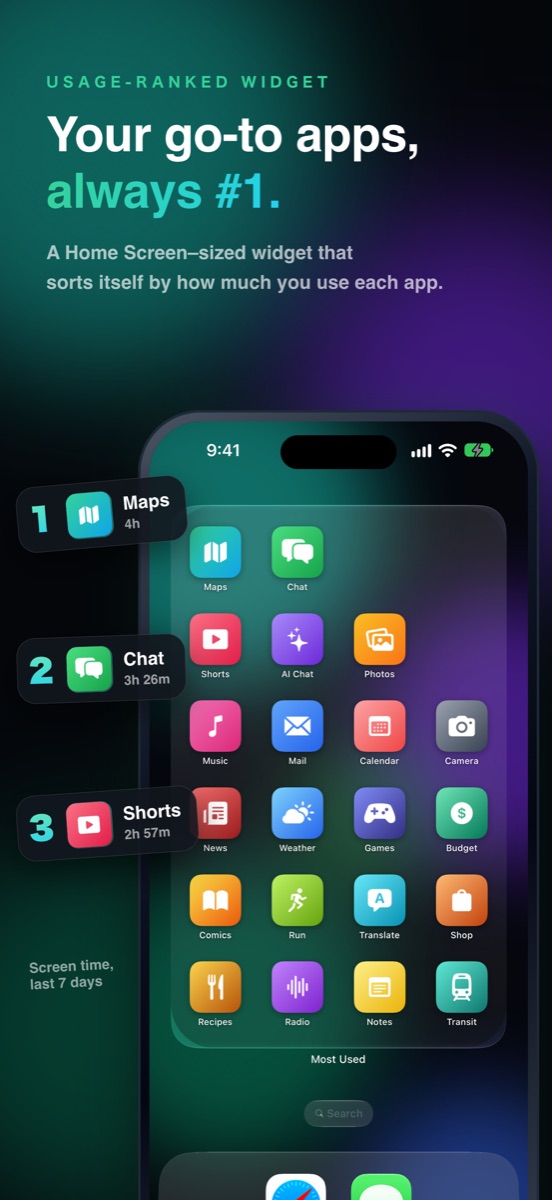
Sorted by what you use. Automatically.
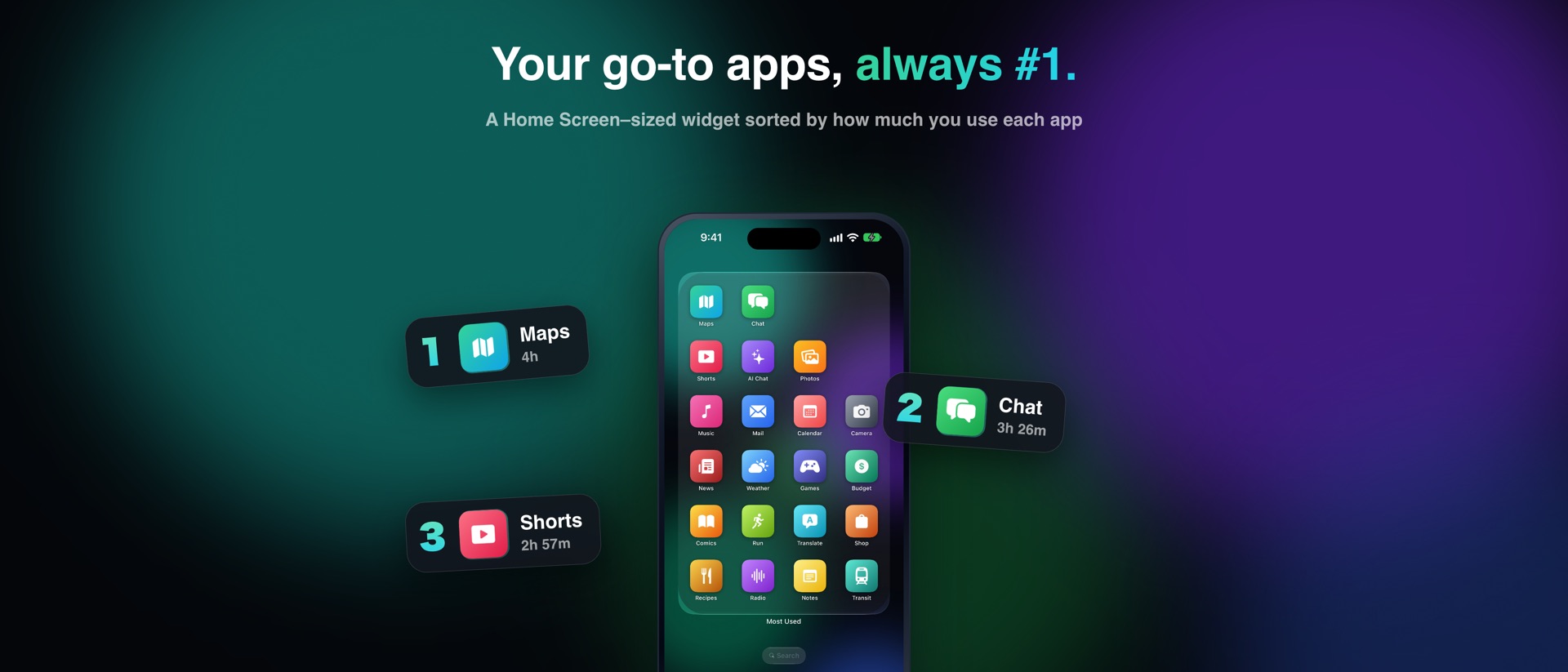
Ranks your apps by Screen Time over the last 7 days. Works as a Home Screen–sized widget and as #1–#4 on the Lock Screen.
Most Used · iPhone launcher widget
A Home Screen widget that re-sorts itself by how much you use each app. No more rearranging icons.
Free to start · iOS 27 or later
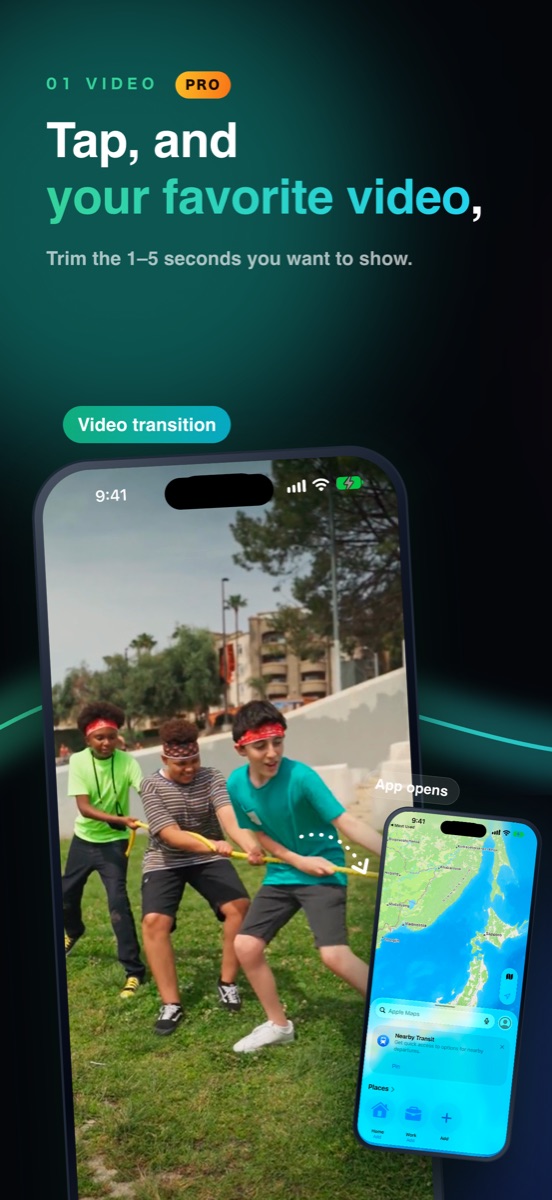
Add a moment before each app opens: the best 1–5 seconds of a video from Photos, a photo of your fave, or one of 10 characters. When it ends, the app really opens.
Ranks your apps by Screen Time over the last 7 days. Works as a Home Screen–sized widget and as #1–#4 on the Lock Screen.
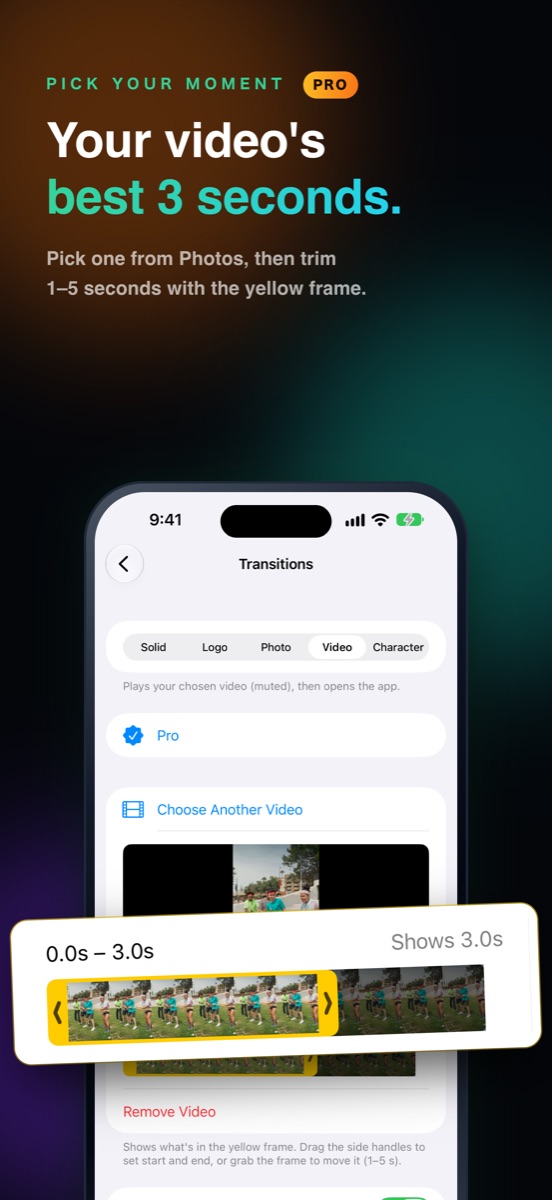
Pick a video from Photos and trim 1–5 seconds with the yellow frame. Family clips and fave clips alike become your app-opening moment.
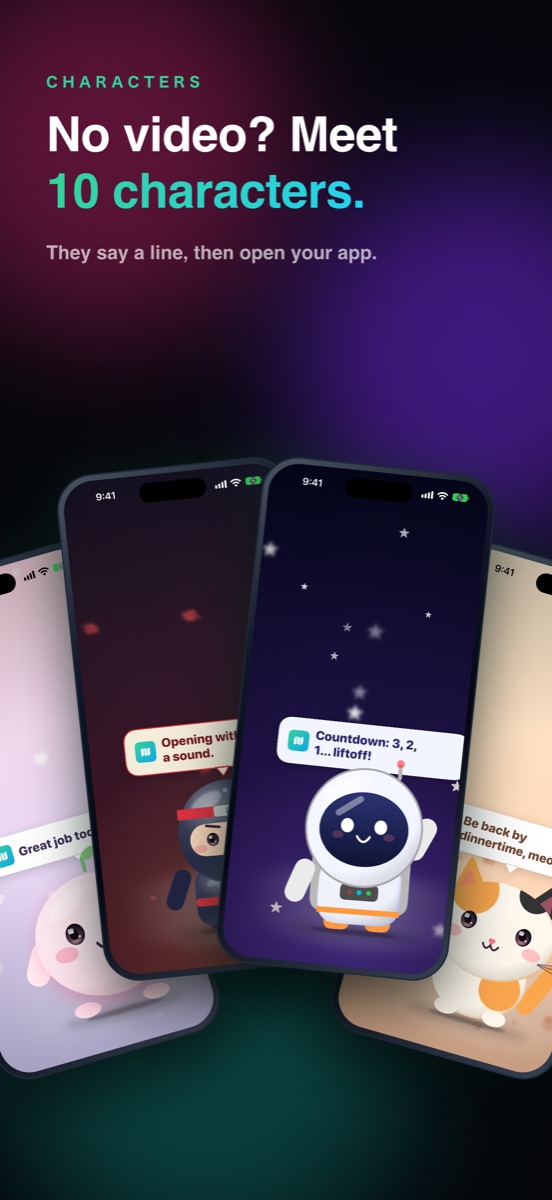
A character says a line, then opens your app. You can rewrite what they say.
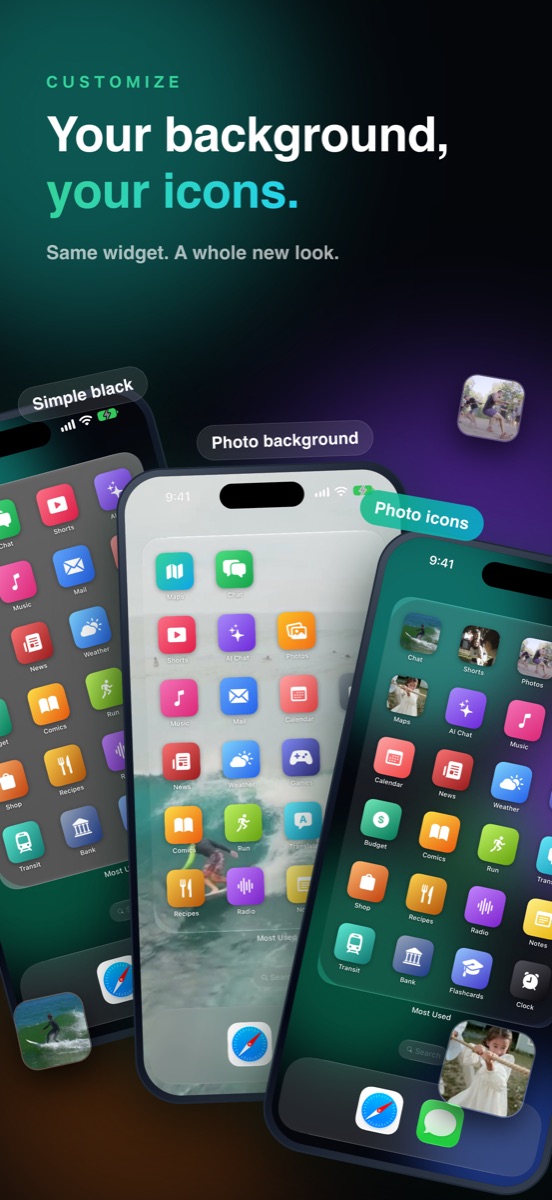
Use your own photos as icons. One photo makes both the wallpaper and the widget background, so they line up seamlessly.
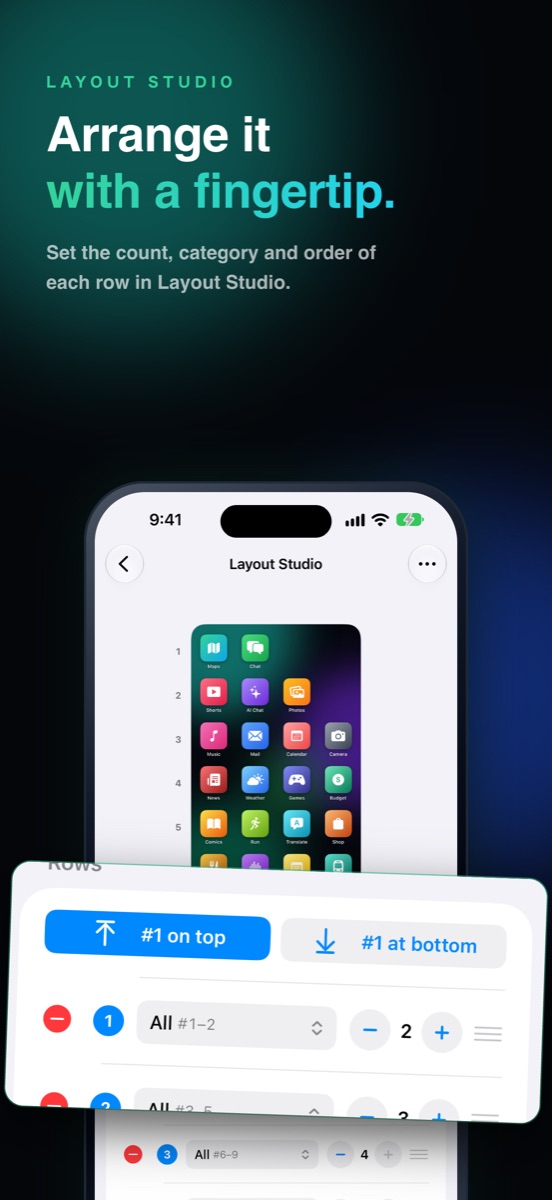
In Layout Studio, set the count, category and order of each row. Flip #1 to the top or bottom in one tap.
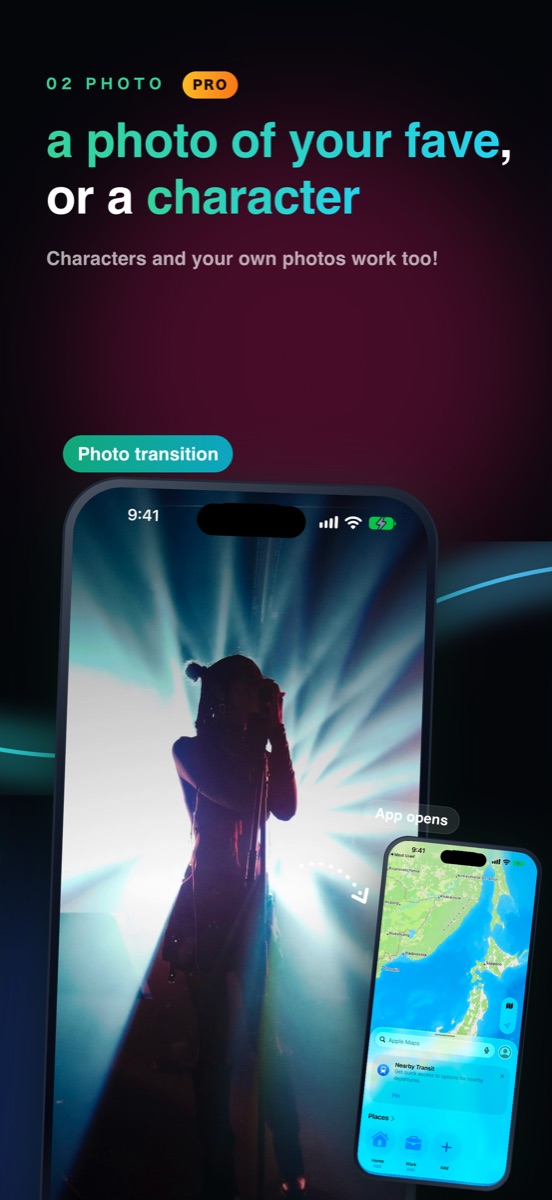
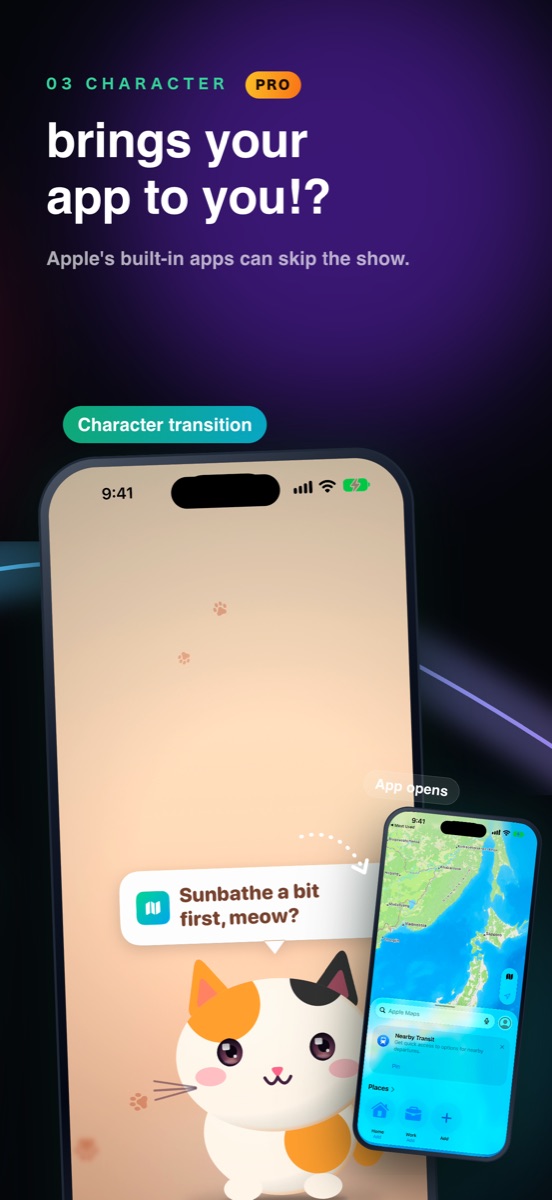
The usage-ranked widget, Lock Screen widgets, Layout Studio, photo icons, and solid or logo transitions.
Video, photo and character transitions, transition colors, and photo widget backgrounds. Try every setting and preview before you buy.
Prices shown are for the Japan App Store; your local App Store shows prices in your currency. Yearly and monthly plans renew automatically unless canceled at least 24 hours before the free trial ends.
No. Screen Time data is used only on your device to decide the order. See the Privacy Policy.
Tap Manage Subscription on the app's Pro screen, or go to Settings → your name → Subscriptions. You can switch between yearly and monthly there too.
Yes, buy Lifetime from the Pro screen. Subscriptions don't stop on their own, so cancel yours afterward with Manage Subscription.
Sign in with the same Apple Account and tap Restore Purchases on the Pro screen.
iPhone with iOS 27 or later. The Home Screen–sized widget uses a size introduced in iOS 27.